
New Compose Interface for Gmail on iPad

Today Google announced an improved experience for writing emails on Gmail web interface for iPad. When you write an email you’ll now get a big full screen compose window instead of splitting the screen between your inbox and the compose view. More text…
The Droids are back !!!
The droids are back for a war. This week had enough news from the android world. Lets take a look at them. After long pause in the handset making business motorola is back on track with moto droid which sports a 3.7″ display, 843 pixels display, 5…
Youtube for s60v5 gets a major update
Say goodbye to the tiny screen of youtube client and welcome the new full screen support. Google’s native S60 YouTube client has just got itself a significant update, to v2.2.17 on S60 5th Edition phones like the N97, 5800 and Samsung i8910 HD and with…
Google releases chrome beta 3
google today released their latest update to theor simple and fast browser chrome. The new browser comes with added support for themes. The theme idea sounds good. But would that mean chrome is still a simple browser?? Anyway chrome is available for…
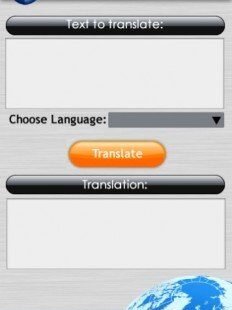
Google translate widget for S60V5
Just type in the text and get the text converted to your choice of language online.