Soon isn’t soon enough Apple. When Apple launched the iPhone 3gs last year, they announced that they will launch in other countries around the world which included India soon. But now after almost 9 months and just before 3 months probably for the launch of iPhone 3g, Bharti Airtel is launching iPhone 3GS in India and at a very high price tag compared to other countries. And the best part, Apple fan boys of India has already got their officially unlocked versions of the phone from UAE, Australia and New Zealand, Grey Market etc. Anyway, Airtel is charging the following for each models.
iPhone 3gs 16gb will cost you Rs 35500/-
iPhone 3gs 32gb will cost you Rs 41500/-
And the previous generation iPhone 3g 8gb will cost you Rs 29500/-
Even after such a huge price tag, the phone is still locked to Airtel. So you will need to be an Airtel customer to use the phone. However, existing users can simply insert the sim to unlock the phone. Airtel also has a promotional plan which gives you free 500mb data usage monthly upto 12 months. Any usage beyond this limit will be charged Rs 0.30/50Kb.
Are you one of those iPhone fans ? Did you buy one already ? or will you buy one now ?? Tell us by commenting below.
Here is a prizefight(a show on cnet.com) video between HTC HD2 and Nexus One from Google. Watch it and tell us your winner !!!
Excerpt only. No capture of this post’s full text survives in the Internet Archive; what appears above is the teaser its index page carried. Check every archived capture of this URL.
Opera has been very popular for their mobile browsers and all of you know that. The extremely fast opera mini has been rocking on all our phones. Opera is also the default web browser in most Windows Phones. Now Opera has created an iPhone App. Claimed to be six times faster, Opera mini comes […]
Excerpt only. No capture of this post’s full text survives in the Internet Archive; what appears above is the teaser its index page carried. Check every archived capture of this URL.
Finally Apple has enabled the gift the app option in iTunes which means now you have lakhs of gifts to choose from for your loved ones. Remember the gift option is available only through desktop version of iTunes Store. You are charged directly to your credit card, and all that you are required to […]
Excerpt only. No capture of this post’s full text survives in the Internet Archive; what appears above is the teaser its index page carried. Check every archived capture of this URL.
A new Google Maps version has been released for the Android users and just as usual it comes with some cool new features. Updated search results page The new version of Google Maps have been redesigned to give you all the information in one page rather than having you to switch tabs. Tap the […]
Excerpt only. No capture of this post’s full text survives in the Internet Archive; what appears above is the teaser its index page carried. Check every archived capture of this URL.
Nokia X-series has been in the market for a while now. With Nokia X3 and X6, X-series seem to have well received by the customers. If you are a great fan of X-series like us, then you may wanna see the concept picture of what next X-series device will look like. The phone is more stylish and smarter than it’s predecessors and design wise it’s very compelling as well. Tell us if this little baby has captured your hearts or not ??
A magical and revolutionary product at an unbelievable price. Starting at $499. That’s what Apple says about their iPad, the new addition to their product line up. Believed to be the intermediate product between laptops and mobile phones, Apple iPad is 10″ touch screen device running iPhone OS 3.2. iPad comes in two versions: […]
Excerpt only. No capture of this post’s full text survives in the Internet Archive; what appears above is the teaser its index page carried. Check every archived capture of this URL.
Hey all. We just received the Nokia e75, and with just few hours spent with it, we say it’s awesome. The phone looks like a normal bar phone similar to the Nokia E52 in the first glance. But it’s real beauty is revealed when you slide out the QWERTY keyboard. The keys are large […]
Excerpt only. No capture of this post’s full text survives in the Internet Archive; what appears above is the teaser its index page carried. Check every archived capture of this URL.
Nokia has been focussing on software industry for a while now. Apart from simply releasing new phones to market, they have also started making softwares that would make your experience on these phones better. Understanding the present day needs of the user, Nokia has released softwares that users have been dying to find out. And yeah, this includes an HTML email client, a social networking app for twitter and facebook and more. Nokia also has some rare softwares which you might never find in other manufactures like the Nokia Point and Find, Nokia Gig Finder, Nokia Indoor Navigation for Shoping malls(Nokia Kamppi) etc. We have picked three must have apps on any Nokia phone.
Now what does this matter to a user ?? We know we have some apps available that can do some of these tasks very well. But let’s not forget that these are not free. Even some Nokia apps are not free, but they are seriously cheap and yeah if you face some problem you get quick support from Nokia through Email and Twitter. I think the @NokiaMessaging needs a special mention here. Folks at Nokia Messaging quickly respond to your problems and fixes any problem as fast as they can. You know we get annoyed only when something wrong happens and there is no one to take care of it.
1. Nokia Messaging
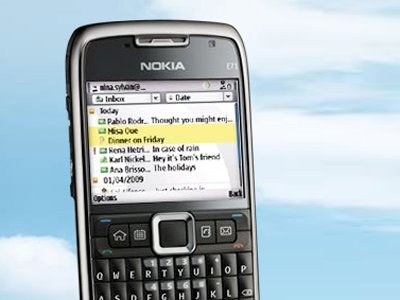
To those who are new to Nokia Messaging, it’s an HTML supported email program that fetches your emails from services like Google, Yahoo and more to your phone. They support a wide variety of email service providers and Google Apps and Yahoo Small Business. Also they currently support more than 10 s60 phones with over 20+ languages support. The services is free in most countries but in some places you might have to pay a meagre amount to avail the service. For more details on this service, Click Here
2. Nokia Messaging for Social Networks
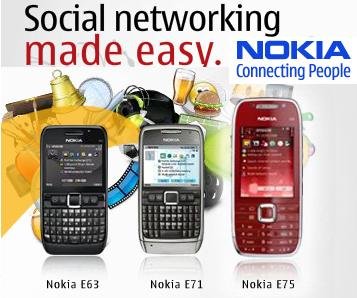
Everybody has a social life online and most of us just can’t stay out of it. Nokia understands this truth very well. That’s why they have solution for it too. Nokia Messaging for Social Netwoking which is in beta is another service from Nokia that lets you manage your social life online on the go.
With support for twitter and facebook, the app lets you post tweets with location, view yours or profile of those who you are following, send direct messages, mark tweets as favorite and more. Similarly you can update facebook status, upload videos and photos, accept invitation and add it to calendar, Click to Call/text/FB-Email and more. The app also pushes updates to homescreen which is very handy. All-in-all a good app with a few bugs. But its free and in Beta. So it will get better. Get your copy here
3. Ovi Maps Navigation
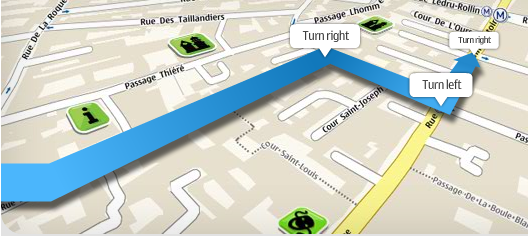
A while ago, Nokia announced that all their navigation as free which has really kicked the navigation market to the nest level. With this announcement from Nokia, many of my friends(Nokia fan boys) has gone crazy and has downloaded the service while a few switched to new phones as the service wasn’t compatible with their old Nokia phone. Nokia Ovi maps Navigation provides free Voice guided both walk and drive navigation with support for Lonely Planet and Michelin guides. The service has maps of over 70 countries. Nokia is adding as many device as possible to the device list. You can check the list of currently supported devices here.
These are some of the many and best Nokia apps available which we have introduced based on user interest. There are still plenty of apps available that might interest you which you can check out by going here.
Nokia Recycler Program
And just in case if you didn’t know, Nokia takes care of your device even when you are done using it. The Nokia Mobile recycling program collects your old mobile and recycles it saving our mother Earth from e-waste. Be a part of this great venture by leaving your phones at Nokia Showrooms for recycling when you switch to a new device.
If you are a fan of iPhone’s beautiful UI but haven’t switched to iPhone just because you are a great Nokia fan or if iPhone is too costly for you, then here are some ways to get that UI on to your phone.
One of the most loved UI feature in iPhone is how SMS is managed in it. The SMS’ are displayed as a chat message or as threaded conversation. So if you and I are sending SMS, then our conversation will be shown as a thread or just as in a chat. So this helps you to continue your SMS from where you stopped last time. iSMS has been under development for a long time and it’s very stable now. MMS support is still not there. However when a MMS arrive the text will be displayed. And when you open it, it will intelligently switch to default MMS viewer of the phone. Scrolling is faster and better than version 1.02. Check out the entire feature list below.
Features:
Fast initial message sync (10 messages/sec)
Green button sends messages!!!
Kinetic scrolling isn’t too laggy (similar performance to v1.02, maybe even better)
There’s a scroll bar on the side that gets you where you need to go. This is very useful.
Beautiful popup when you receive a text (see picture)
Some pretty nice skin options
5 included skins (don’t know if others are available)
Customizable colors
Customizable background image
You can search your texts (very fast)
More messaging options than 1.02/3
Reply
Delete
Mark as read
Forward
Handle objects (i.e. copy text)
Does not handle MMS. Instead, it’ll (very intelligently) open the MMS in the standard Nokia viewer we all know and love. It’ll be included in your threaded texts if you look for it, but it will just be the words, not the multimedia content.